> For the complete documentation index, see [llms.txt](https://witty.gitbook.io/witty/llms.txt). Markdown versions of documentation pages are available by appending `.md` to page URLs; this page is available as [Markdown](https://witty.gitbook.io/witty/tutorial/how-to-swap.md).

# How to Swap

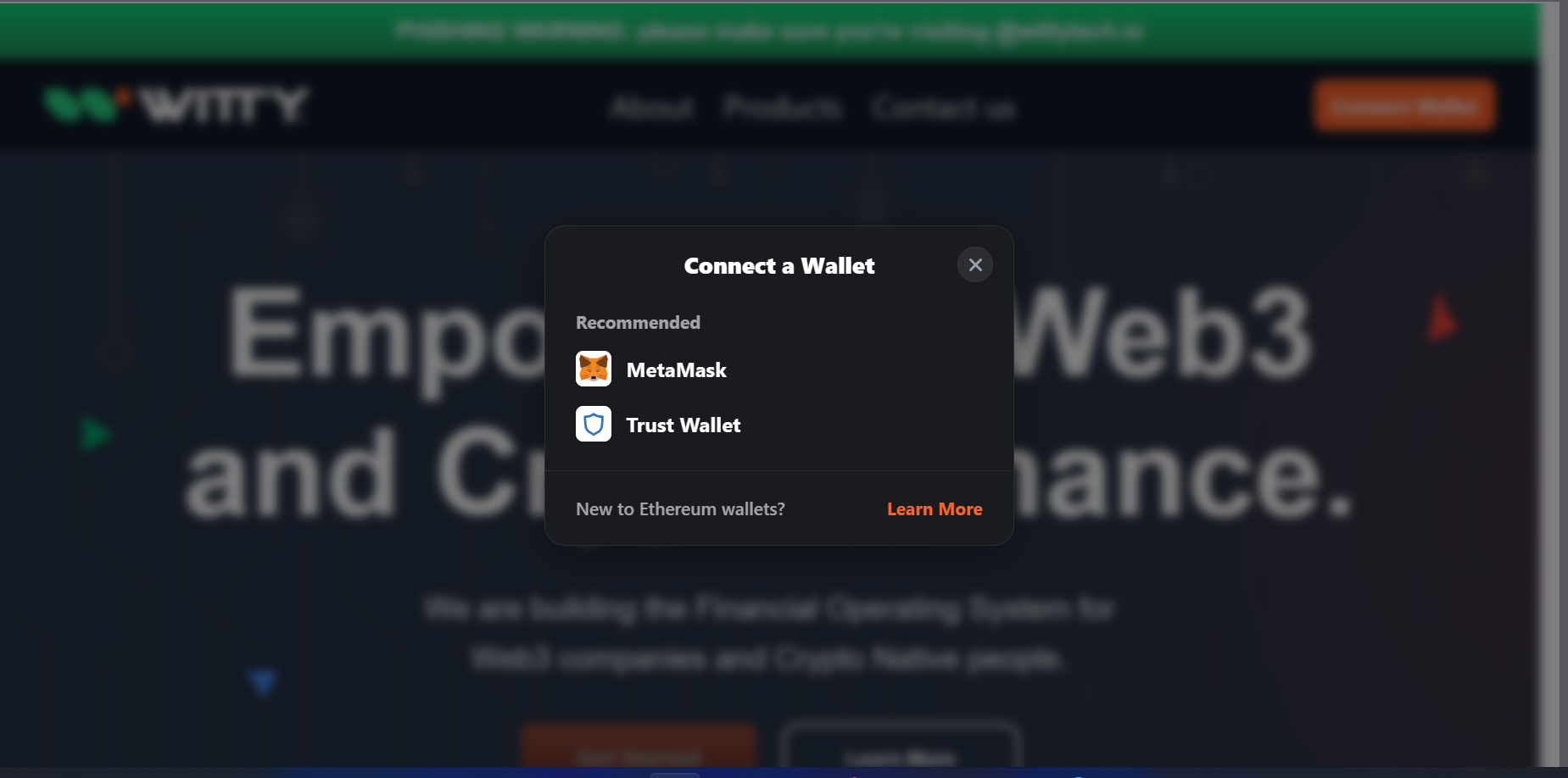
1. Enter URL and Connect your Wallet. We will be using Metamask Wallet for this demo

<div data-full-width="true"><figure><img src="https://2484980273-files.gitbook.io/~/files/v0/b/gitbook-x-prod.appspot.com/o/spaces%2F8XZQIDPUlQB4gMAk0uhe%2Fuploads%2FFt8tXVz7Ck5BXiYWZa7y%2FScreenshot%202023-05-30%20141415.png?alt=media&amp;token=2f56949a-f451-4dc2-b9f1-12f157d8689a" alt=""><figcaption></figcaption></figure></div>

2. Select your desired assets to swap and enter the amount. for our case we allow only BUSD/WTY swap

<div data-full-width="true"><figure><img src="https://2484980273-files.gitbook.io/~/files/v0/b/gitbook-x-prod.appspot.com/o/spaces%2F8XZQIDPUlQB4gMAk0uhe%2Fuploads%2Fwa8D6VL0gwqWIKk14hpx%2FScreenshot%202023-05-30%20193348.png?alt=media&amp;token=096b3f76-2c8c-44c6-b618-8a014e6c2970" alt="select token to swap"><figcaption></figcaption></figure></div>

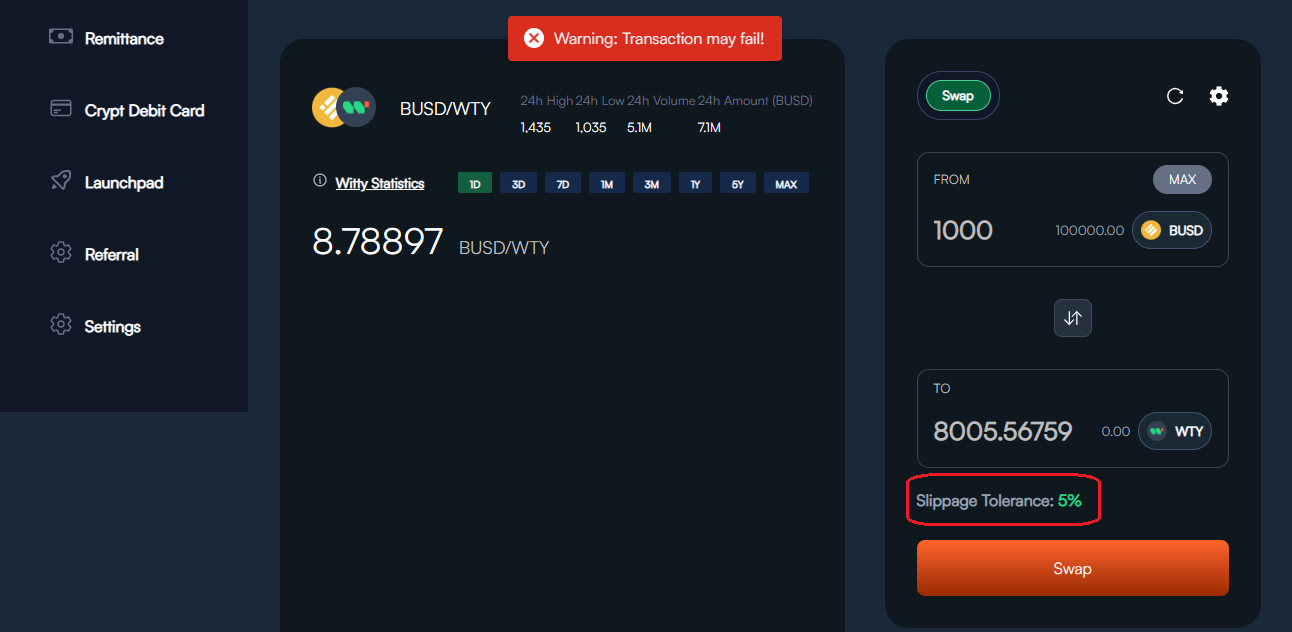
3. You can edit Slippage tolerance for the trade. By default 15% Slippage Tolerance is set. *trade may fail if you go below*

<div data-full-width="true"><figure><img src="https://2484980273-files.gitbook.io/~/files/v0/b/gitbook-x-prod.appspot.com/o/spaces%2F8XZQIDPUlQB4gMAk0uhe%2Fuploads%2FhsR5pSp2dQ8KgcvV82N7%2FScreenshot%202023-05-30%20193649.png?alt=media&amp;token=acc405d0-fc4e-457b-83fd-41b7adfc5969" alt="slippage error"><figcaption></figcaption></figure></div>

4. Confirm Swap details, click on Swap and approve the transaction
<div data-full-width="true"><figure><img src="https://2484980273-files.gitbook.io/~/files/v0/b/gitbook-x-prod.appspot.com/o/spaces%2F8XZQIDPUlQB4gMAk0uhe%2Fuploads%2FpAQ44WLov1lVwlCXZHPy%2FScreenshot%202023-05-30%20193903.png?alt=media&amp;token=a7e356f2-8fe4-4440-b5a2-9edffa9fd80a" alt="stake successful "><figcaption></figcaption></figure></div>